A recorded video walkthrough
Your numbers, explained on screen. Watch it when it suits you and pause where you want.


Your 5 biggest cash leaks, with what each one costs and how to fix it. In 48 hours, with no call and no passwords.
Three things, delivered by email within 48 hours of payment and receiving your files.
Your numbers, explained on screen. Watch it when it suits you and pause where you want.
Every number behind each finding, so you or your accountant can check the working.
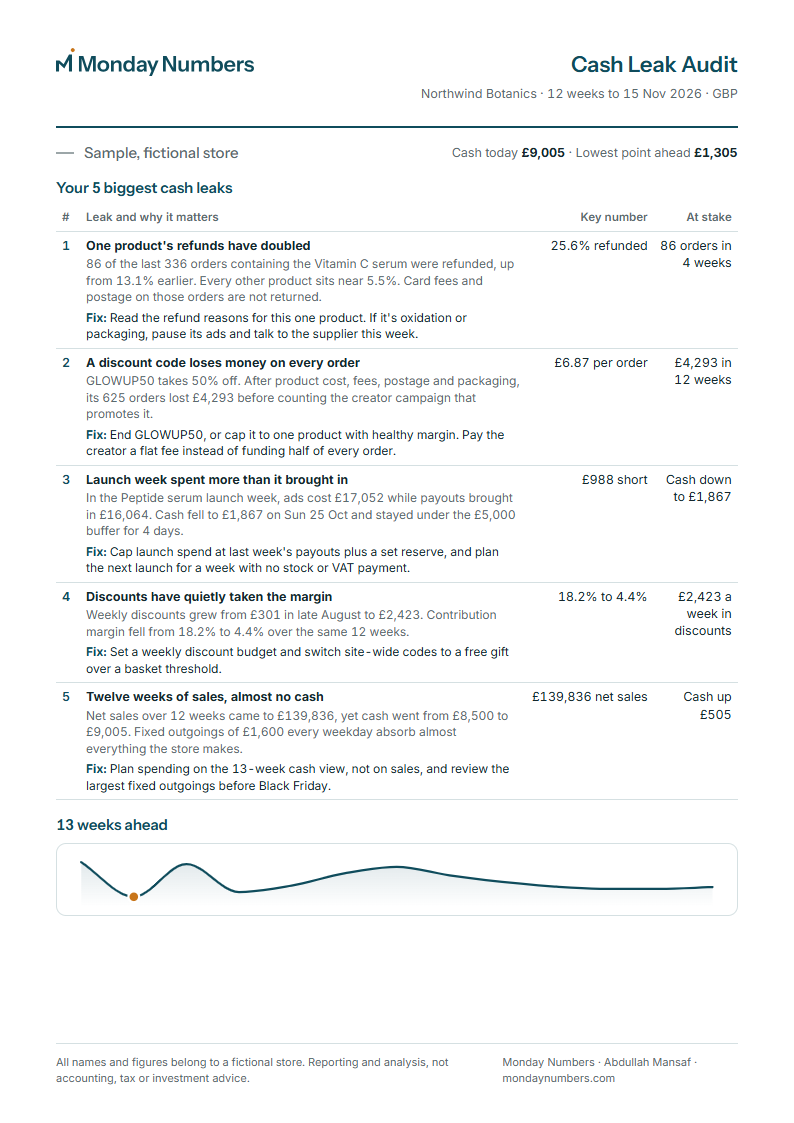
Your 5 biggest cash leaks on one page, each with what it costs and how to fix it.
Want to see the format first? Read the sample audit for a fictional store.
Four CSV files covering the last 90 days. Each takes about two minutes. Menu names change now and then, so if a step looks different, search the platform's help centre for the name in bold.
Email the four files with the subject "Cash Leak Audit order", plus your store URL and the currency you report in. The order button fills in the subject and a list of what to attach.
Four CSV exports, your store URL and currency, by email.
A reply confirms the files are readable, with a Payoneer payment request. 9am-6pm UK time.
Video, findings sheet and 1-page PDF arrive by email, counted from payment.
Your raw files are deleted 30 days after delivery.
A Payoneer payment request arrives by email. Pay by card or bank transfer on Payoneer's own page, in US dollars. The audit starts once payment arrives, and card details are never shared with Monday Numbers.
Card Bank transfer Payoneer
If the audit doesn't find at least 3 specific cash leaks, each with a number and a fix, the payment is refunded in full.
The founding price of $99 is for the first 5 clients. After that, the audit is $149.
Replies within 4 hours, 9am-6pm UK time.